
Accurate Natural Posture
The patented OPD device is the only solution that allows the ECP to properly capture the customer's posture in a way similar to the dotting process while never needing to be at the same eye level.
Over 60 million measurements captured!
Are you an eye care professional looking to enhance your practice with cutting-edge technology? Optikam is here to help you revolutionize your patient experience and streamline your workflow. Explore our innovative solutions tailored specifically for Eye Care Professionals like you.
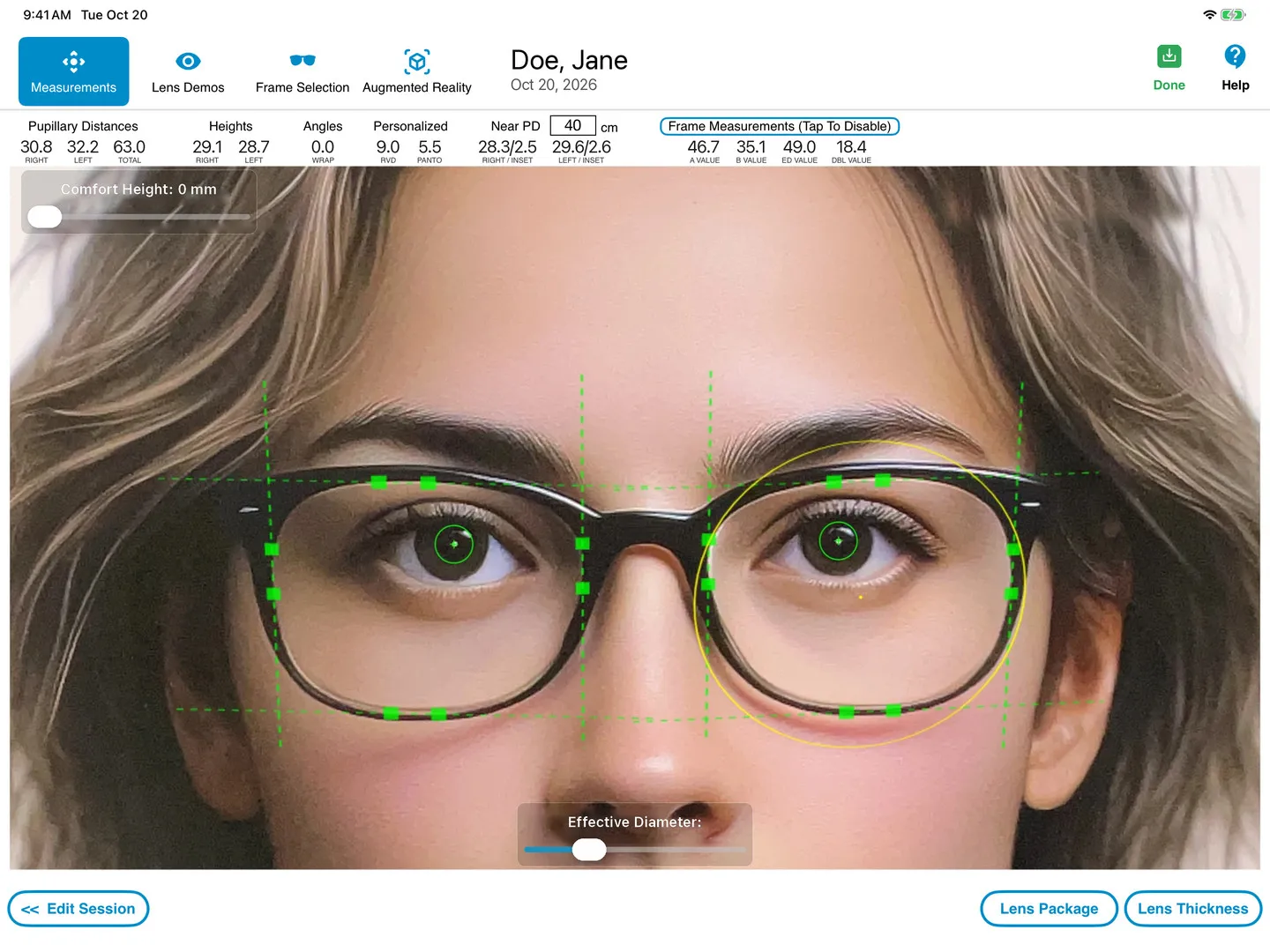
OptikamPad
A practice using pupilometers and sharpie pens to measure lenses will no longer impress customers. Beyond that, traditional tools limit your progressive lens offering which impacts profitability.
Lenses nowadays can be personalized to account for how the frame will be worn once dispensed. However, the dispensing tools most ECPs use have been the same for the past 30 years and have not kept up with the technological advances seen in other parts of the industry. This reality creates an imbalance — superior lenses need to be dispensed with an equally superior tool.
With the advent of online eyewear retailers seeking to commoditize lenses, using cutting edge equipment is key to both elevating the customer experience and achieving continuous practice growth. Furthermore, modernizing your dispensary will only reinforce customer confidence in both the level of professionalism and the quality of the products being offered.
The patented OPD device is the only solution that allows the ECP to properly capture the customer's posture in a way similar to the dotting process while never needing to be at the same eye level.
Prefer to measure without placing a device on the eyewear? Then take advantage of our patented LiDAR technology to measure PDs, Heights, as well as Position of Wear measurements, without the need for a reference device.
In the time needed for an ECP to obtain two measurements using a pupilometer and a Sharpie, OptikamPad provides the ten measurements needed for Position of Wear from one single image when measured with Optikam's OPD device.
OptikamPad's Automatic Image Detection allows all measurements to be obtained immediately after snapshot, avoiding time consuming manual placement of reference points.
OptikamPad was built to keep ECPs in control. The Optikam Posture Device (OPD) was designed with the intent of mirroring the manual measurement process. It takes into account that there is a flow and rhythm to dispensing that needs to be respected, without interfering with an ECPs dispensing style.
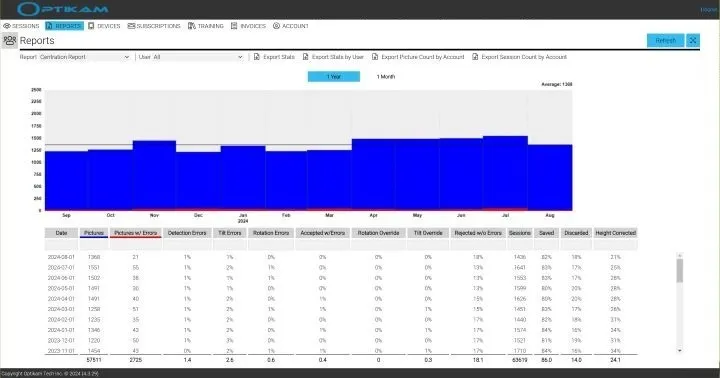
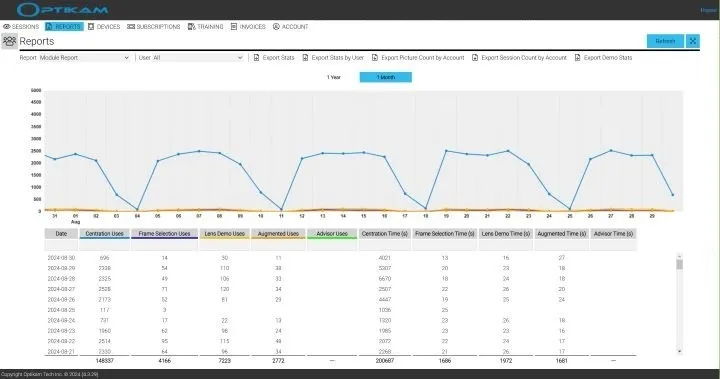
The Optikam Cloud Service provides detailed usage analytics, remote technical support assistance, data protection and multi-station licensing.
Measurements
Optikam's eyewear measurements take into account how the frame will be worn by the patient once dispensed.
These personalized “as-worn” measurements allow lens designs to be customized to take into account Vertex Distance, Pantoscopic Tilt and Frame Wrap.
As-worn measurements improve monocular Pupillary Distance measurements as well. The Pupilometer measures the monocular Pupillary Distances anatomically based on the center of the patient's face, whereas OptikamPad will obtain monocular Pupillary Distances using the mid-point of the frame which takes into account the frame fit and possible nose pad adjustments.
Take advantage of our patented LiDAR technology to measure without the need to place a device on the eyewear. Take advantage of the added flexibility, while maintaining measurement precision and accuracy.
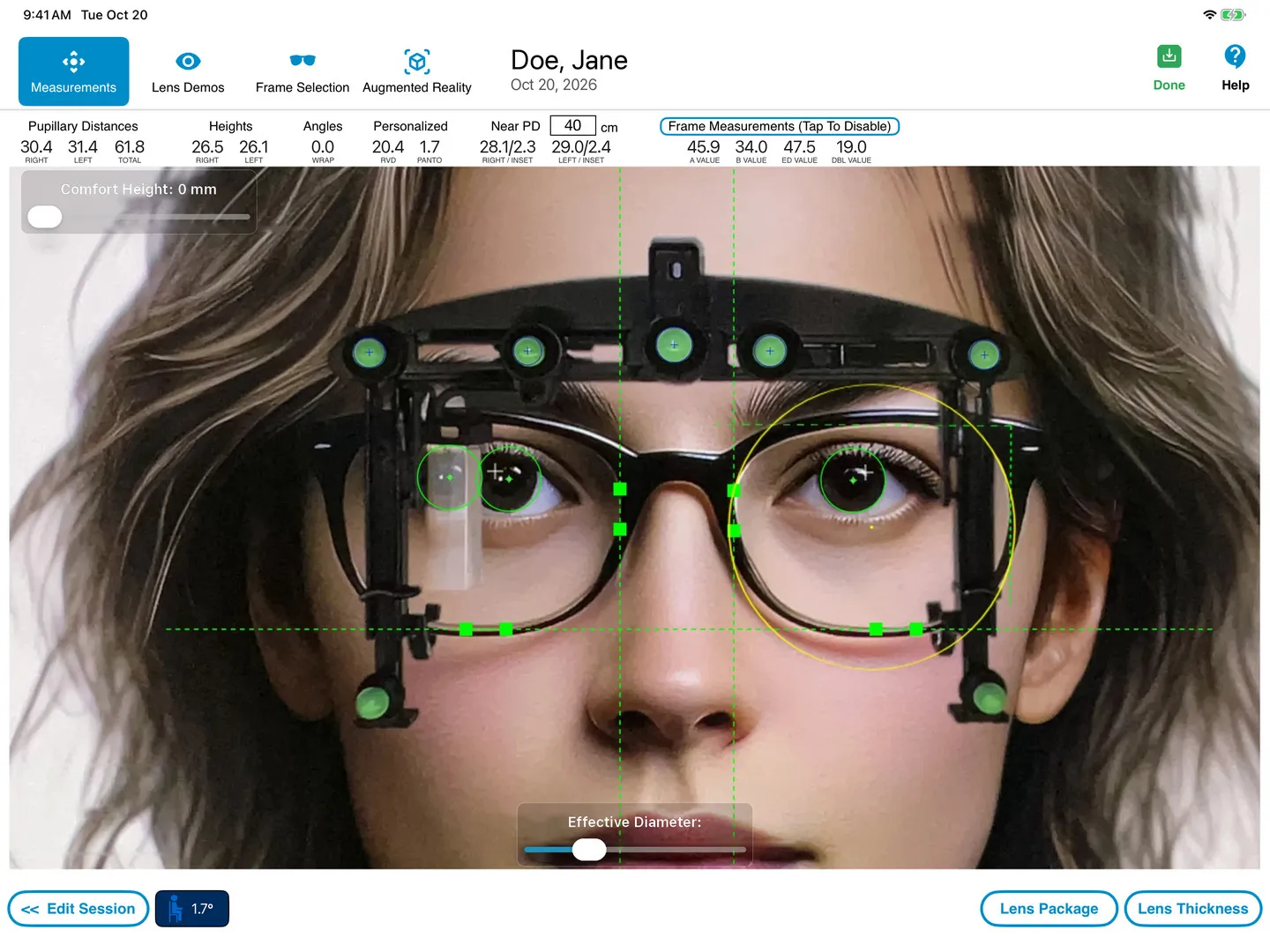
Our patented Optikam Posture Device is the only solution that allows ECPs to monitor, analyze and capture customer's posture with ease and confidence. Reduce remakes and redos ensuring great customer satisfaction.
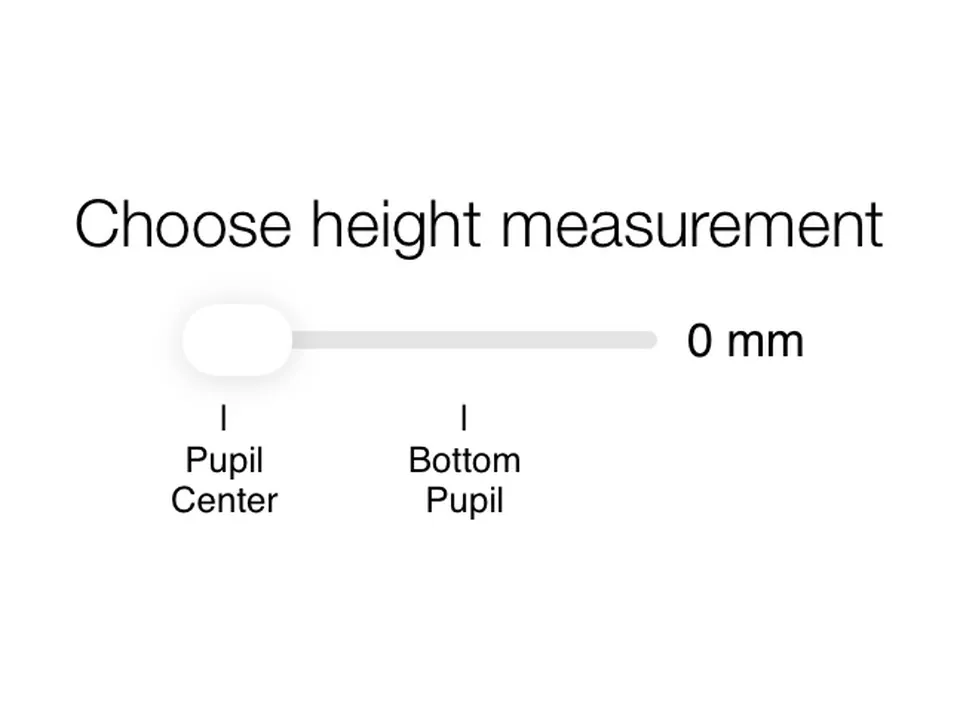
Currently, the recommended industry standard set by lens manufacturers for dotting a patient is to use the pupil center. Most ECPs will perform this step according to their professional judgment and experience. OptikamPad can follow an ECP's current practice of either measuring from the Pupil Center or use OptikamPad's Comfort Height setting to measure at the Bottom Pupil mark. With OptikamPad, the ECP is always in control.
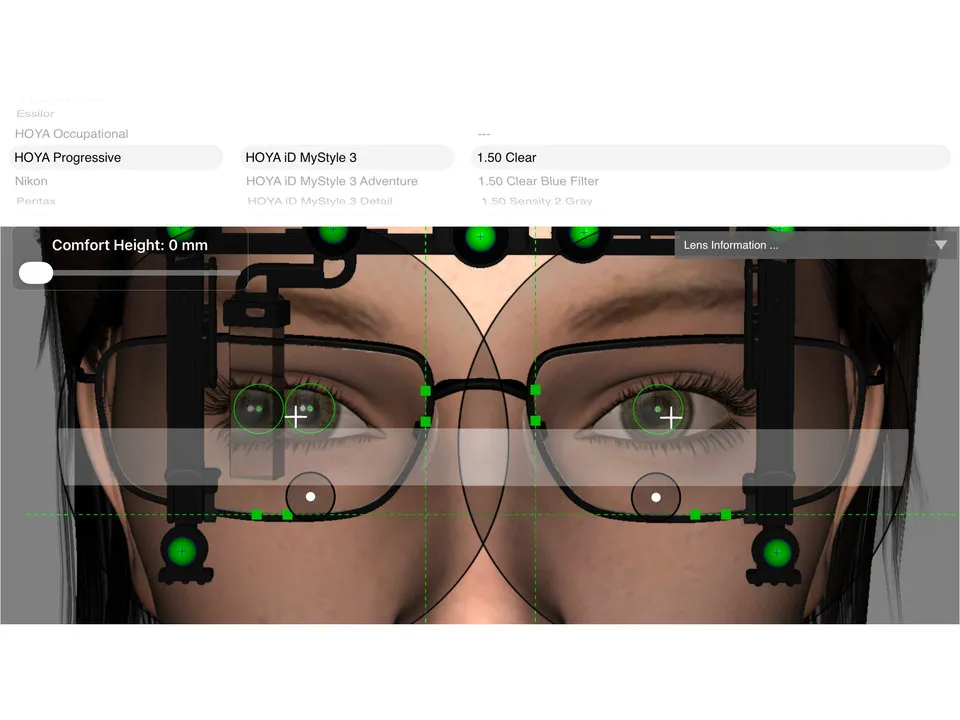
OptikamPad provides the ECP with the ability to overlay progressive addition lens (PAL) designs from all major lens manufacturers. If the selected PAL does not provide sufficient reading area, the software will alert the ECP that the lens will not properly cut out, eliminating the need for a verification call to the lab.
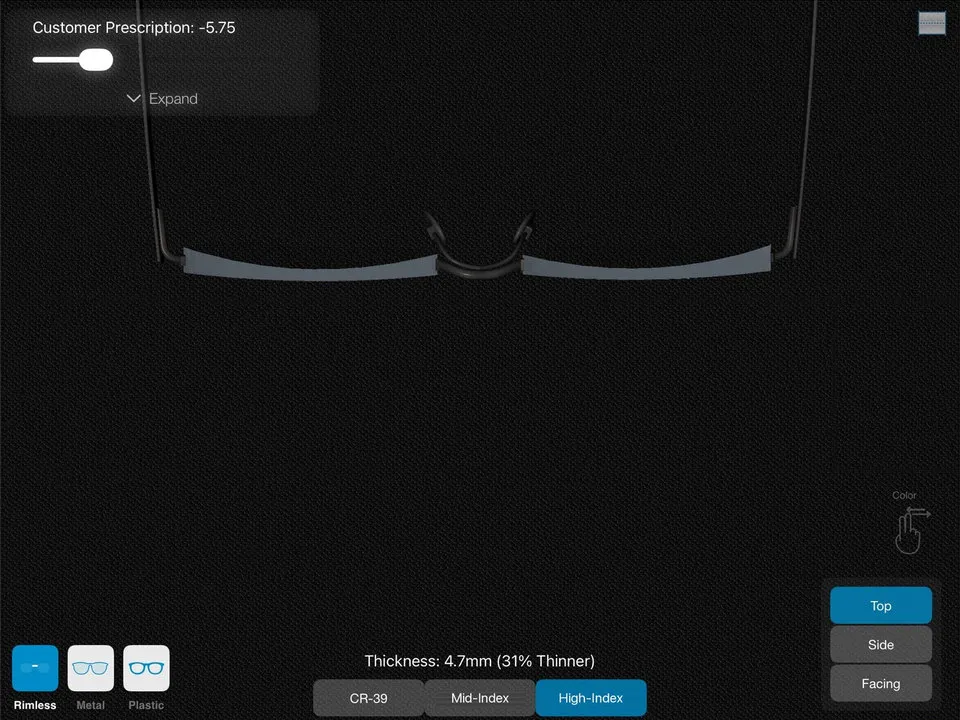
The Lens Thickness feature allows ECPs to simulate a patient's lens thickness taking into account the patient's decentration and frame measurements. The lens is shown in various indexes with the accompanying difference in thickness size.
OptikamPad
Verbalizing the benefits of premium lens products and options can be a difficult task for ECPs. It can also be time consuming and not to mention confusing for patients.
This is especially true when the tools currently available for demonstration are static in nature. The OptikamPad Lens Demos module offers ECPs a quick and interactive way to educate patients on their vision's well-being. By assisting ECPs in expanding their offering of premium lenses, patients will clearly see the value of the products being recommended.
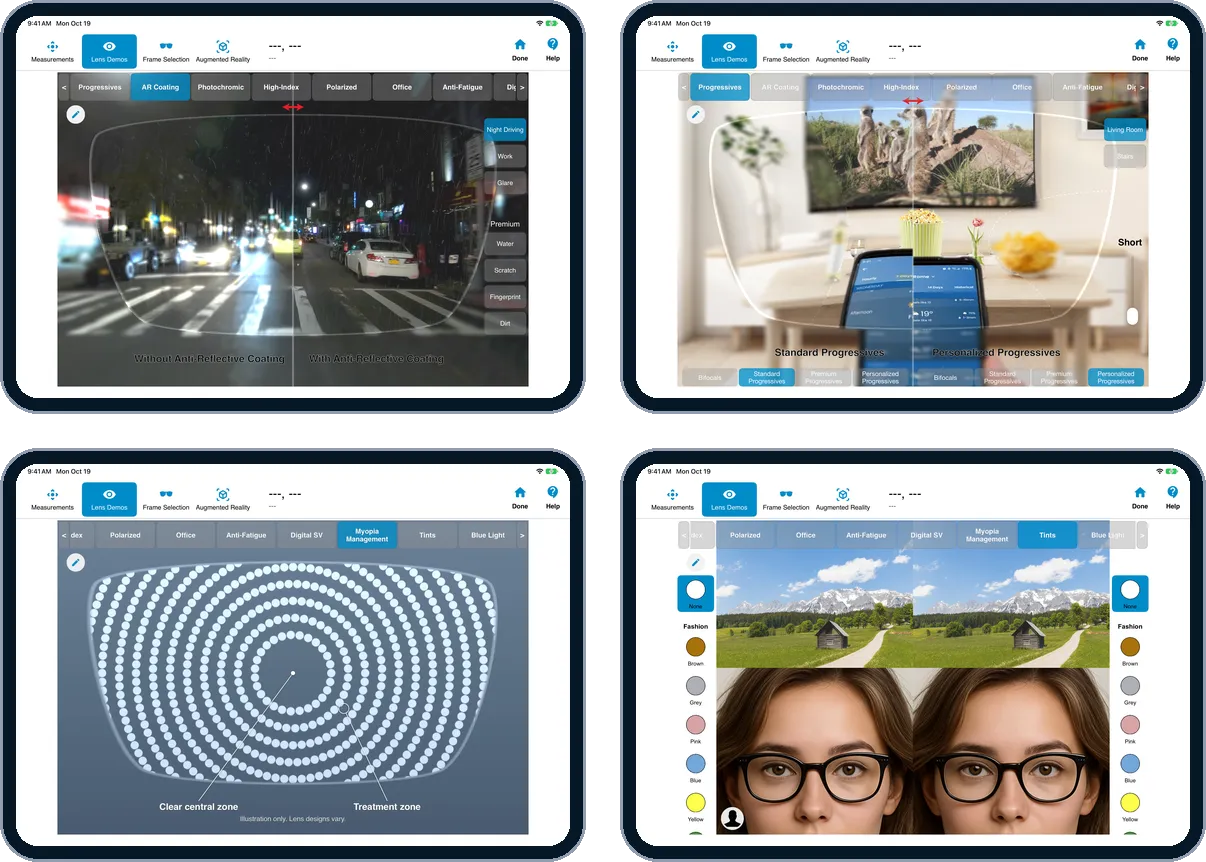
What if you could offer your patients a glimpse of how premium lens options can enhance their vision before they purchase their lenses?
The Augmented Reality module assists ECPs in building the lens combination of their patient's choosing. This module allows patients to see how different lens options will impact their vision — whether they spend a day in the office to a night out on the town. The OptikamPad's video mode even allows patients to choose a live view with the lens options of their choice in or outside of your office.
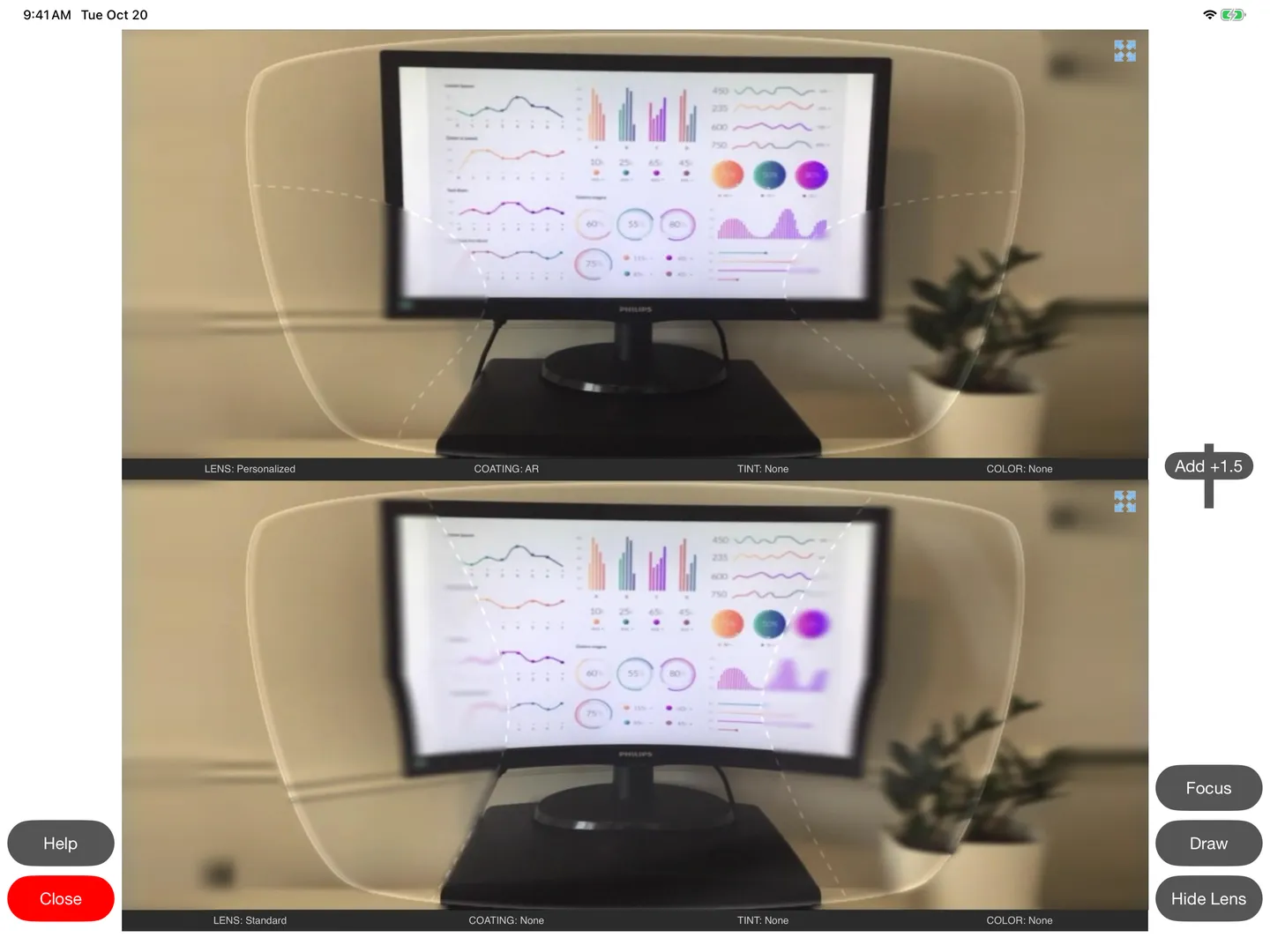
When a mirror and a smartphone camera are simply not enough!
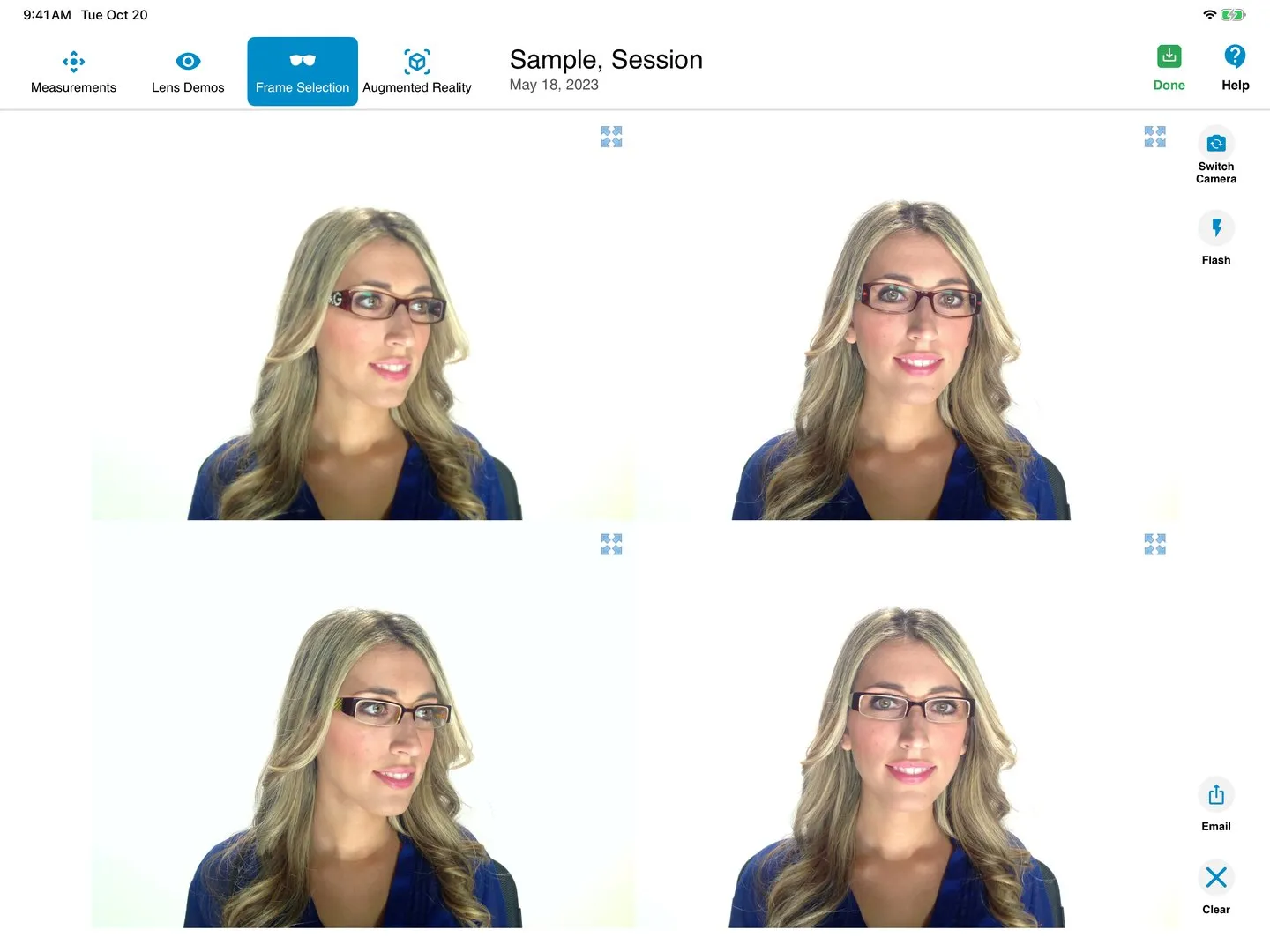
OptikamPad's Frame Selection module allows ECPs to help their patients overcome hesitations associated with the selection of new frames. Customers who cannot see themselves clearly in a mirror without their prescription are provided an opportunity to do so after their pictures have been taken.
The side-by-side image comparison of up to eight frames exposes the customer to frames of different styles, resulting in an increase in multiple-frame sales. Obtaining an instant second opinion from loved ones is an email away!
Integration











All measurements captured by the OptikamPad App can be transferred electronically thus, avoiding any manual entry of measurement results.
Cloud Service
Interested in benefitting from OptikamPad's sales tools on additional iPads? Now you can.
Our optional yearly cloud subscription grants you access to these sales modules on up to five additional iPads within your practice. In addition, your saved measurement profiles will safely be backed up and accessible on other iPads or PCs. Each dispensing station will be equipped with the ability to increase overall practice profitability.
For practices that cut their lenses in-house, the cloud is the perfect complement to your lab technician. Each measurement profile can be reviewed prior to cutting the lenses. For ODs, the cloud presents an excellent opportunity to prescribe lens treatments prior to patients visiting the dispensary. The OptikamPad Cloud portal website also provides detailed app usage reports useful for the training and best practice analysis.
Testimonials
FAQ
OptikamPad is an all-in-one digital dispensing solution for Eye Care Professionals (ECPs) that utilizes an iPad to capture precise ophthalmic measurements, assist in frame selection, and demonstrate lens benefits through augmented reality.
It modernizes the dispensary by replacing manual tools with an interactive tablet experience, allowing patients to see themselves in different frames via side-by-side photos and visualize lens enhancements like Anti-Reflective (AR) coatings, progressive lens designs or photochromics in real-time.
The Optikam Posture Device (OPD) is a proprietary hardware device that clips onto a patient's chosen frame to provide a fixed reference point, ensuring sub-millimeter accuracy for "Position of Wear" measurements that manual methods cannot replicate.
A single frontal photograph captures 10 essential measurements in less than 60 seconds, significantly faster than using a manual pupillometer and marking lenses with a Sharpie.
Yes. Its portable, iPad-based design is scalable for high-volume clinics and boutiques alike, offering a "Swiss Neutral" technology that works with any lens laboratory.
Contact
Located in Montreal, Optikam Tech Inc. provides electronic measurement solutions for the eyewear industry.
USA/Canada: 888-356-3311 ext.1
International: +1-514-667-4178 ext.1
USA/Canada: 888-356-3311 ext.104
International: +1-514-667-4178 ext.104
USA/Canada: 888-356-3311 ext.2
International: +1-514-667-4178 ext.2